
Debugging Your GA4 Implementation: Why Your Analytics Data Doesn't Match Reality
Our CRM recorded 1,847 signups in Q1. GA4 showed 1,204. That's not a rounding error. That's a 35% gap that went unnoticed for nearly six months, quietly distorting every marketing decision we made.
Debugging Your GA4 Implementation: Why Your Analytics Data Doesn't Match Reality
Our CRM recorded 1,847 signups in Q1. GA4 showed 1,204. That's not a rounding error. That's a 35% gap that went unnoticed for nearly six months, quietly distorting every marketing decision we made. When I finally dug into the analytics data discrepancy root causes, I found not one smoking gun but seven small fires burning simultaneously: ad blockers eating paid social data, a consent banner silently breaking our tag, duplicate conversion events from page reloads, and four more issues I'll walk you through below. If your GA4 numbers feel "close enough," they probably aren't.
The Scale of the Problem Is Worse Than You Think
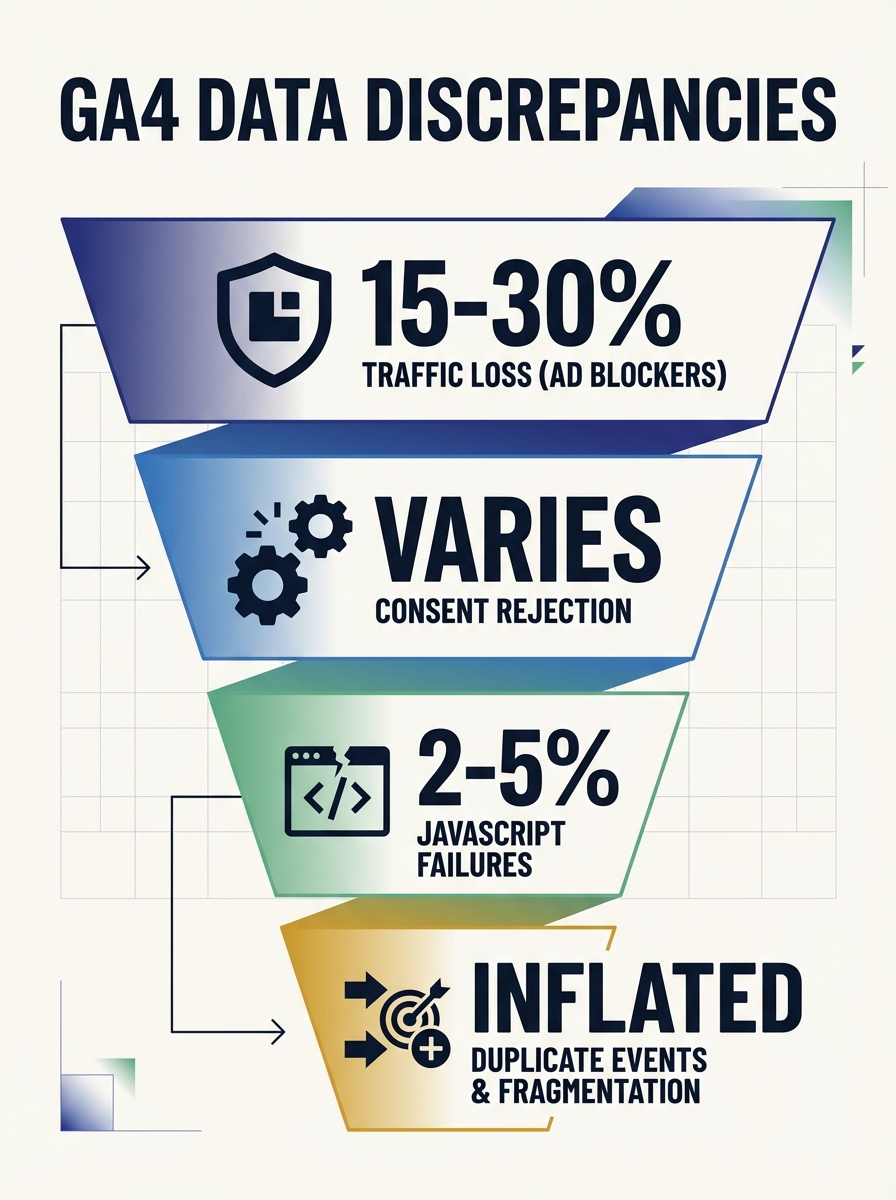
Most GA4 implementations carry 10-30% data gaps. That's not my estimate. Audits across the industry consistently land in that range, driven by ad blockers, consent configurations, and plain old misconfiguration. A Paramark analysis found that companies relying solely on GA4 for attribution misallocated an average of 18% of their digital marketing budget due to systematic inaccuracies. For a $500,000 annual budget, that's $90,000 lighting itself on fire.
The uncomfortable truth is that GA4 is a client-side tool operating in an increasingly hostile environment. Browsers block scripts. Users decline cookies. JavaScript crashes. And GA4 keeps reporting whatever partial data it manages to collect, never alerting you that something's missing.
This is why finding hidden errors in your marketing data isn't optional anymore. It's the difference between optimizing toward reality and optimizing toward a mirage.
The Six Root Causes Eating Your Data
1. Ad Blockers and Privacy Tools
Ad blockers suppress GA4 tracking on 15-30% of web traffic, depending on your audience demographics. Privacy-focused browsers like Brave and Firefox with Enhanced Tracking Protection prevent GA4's JavaScript from loading entirely. This isn't evenly distributed across channels, which is what makes it dangerous. One case study showed a 25% undercount in paid social compared to just 5% in organic search. That kind of uneven gap doesn't just reduce your numbers. It reverses which channels appear to perform best.
As GoInFlow documents in their analysis, even traffic channels with identical names can categorize users differently across platforms, compounding the problem.
2. Cookie Consent and Modeled Data
When users decline analytics cookies, GA4 doesn't track them unless you've implemented Consent Mode. With it enabled, GA4 uses behavioral modeling to fill in the gaps. But Google's own requirements for reliable modeling are steep: at least 1,000 daily consenting users and 1,000 daily events for 28 consecutive days. If your site doesn't hit those thresholds, modeled data can deviate by 30% or more. Small and mid-sized sites get the worst of both worlds: partial data collection and unreliable modeling.
3. Client-Side Tracking Failures
GA4 collects data through JavaScript running in the user's browser. Browser crashes, disabled JavaScript, lost connections, and network timeouts all silently kill events. Purchases confirmed in your backend system may never reach GA4. I've seen this create especially ugly discrepancies between site performance metrics and actual transaction records, where slow-loading thank-you pages time out before the conversion event fires.
4. Duplicate and Misconfigured Events
This is the sneakiest one. Page reloads on confirmation screens, misconfigured GTM triggers, and GA4's default "once per event" counting method can inflate conversion numbers without any obvious red flag. You think your campaign drove 200 conversions when it actually drove 140. Every downstream decision built on that number is wrong.
5. Data Sampling in Exploration Reports
When your data volume exceeds GA4's thresholds, exploration reports get sampled. GA4 indicates this with a shield icon, but plenty of teams never notice it. Sampled data is an estimate. For high-traffic sites, the gap between sampled and actual numbers can be significant enough to mislead strategic decisions.
6. Cross-Domain and Cross-Device Fragmentation
Without proper configuration, a user who starts on your marketing site and completes a purchase on your checkout subdomain gets counted as two separate sessions. This inflates session counts, breaks funnel analysis, and makes your conversion rate look worse than it actually is.
Your DebugView Is Probably Broken Too
Here's what kills me: DebugView is the primary tool for event validation real-time debugging, and half the teams I talk to can't even get it working correctly. The GA4 DebugView setup troubleshooting process has its own layer of gotchas that trip people up before they can diagnose anything else.
As Analytics Mania's troubleshooting guide recommends, temporarily disable ALL browser extensions when testing, including ad blockers, privacy tools like Ghostery and uBlock Origin, and even VPN extensions. Any of these can prevent DebugView from receiving events. Then use DebugView alongside GTM Preview Mode. Web Star Research calls this combination "X-ray vision for your analytics," and that's not an exaggeration. GTM Preview shows you what fires and when. DebugView shows you what GA4 actually received. The delta between those two views is where your bugs live.
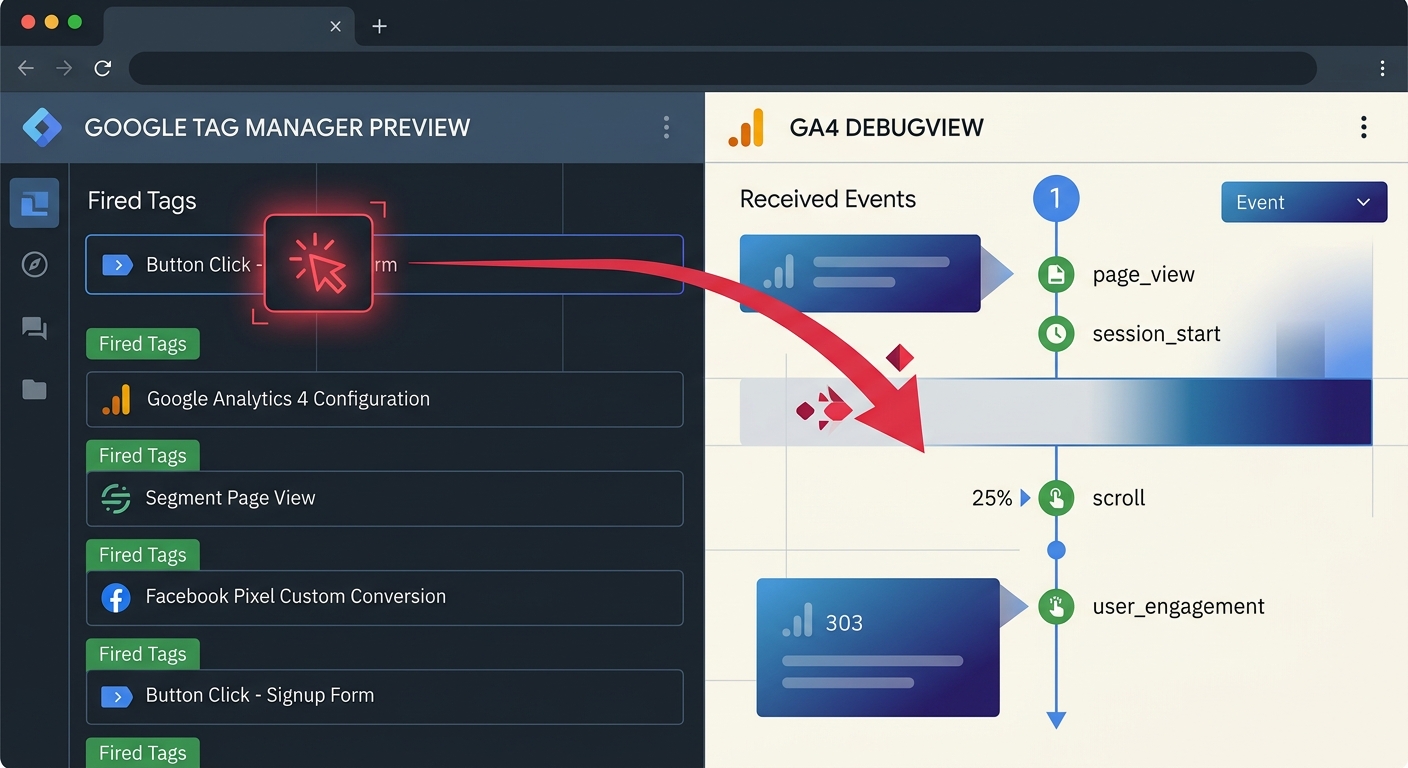
But here's what most guides miss: seeing events fire is necessary but insufficient. Your audit needs to confirm three things:
Event accuracy - is the right event firing for the right user action?
Parameter completeness - are all required parameters populated with valid values, or are you sending null values more than 5% of the time?
Absence of duplication - is the event firing once per intended action, not once per page render?
GA4 Quota Exhaustion: The Silent Data Killer
This one blindsided me. GA4 enforces hard limits that most teams never encounter until they do, and when they do, there's no warning. The platform caps you at 500 unique event names and 25 custom parameters per event. Excess events are silently dropped.
Let that sink in. Silently. Dropped.
No error message. No alert email. Your data just stops collecting for those events, and your reports show gaps that look like traffic drops or user behavior changes. Effective GA4 quota exhaustion solutions start with an inventory of your event names. I guarantee you'll find redundancies. Marketing tagged button clicks with ten different event names that could've been one event with a parameter distinguishing them. Developers created test events that never got cleaned up. Someone added seasonal campaign events that expired months ago but still count against your limit.
The fix is structural: use fewer event names with richer parameters. And if you're a high-traffic site pushing against these limits, pipe your raw data into BigQuery where you're not constrained by GA4's interface limitations.
This connects directly to why data quality across your marketing stack deserves more attention than most teams give it. Quota exhaustion is a data quality problem that masquerades as a traffic problem.
The Quarterly Audit That Catches Everything
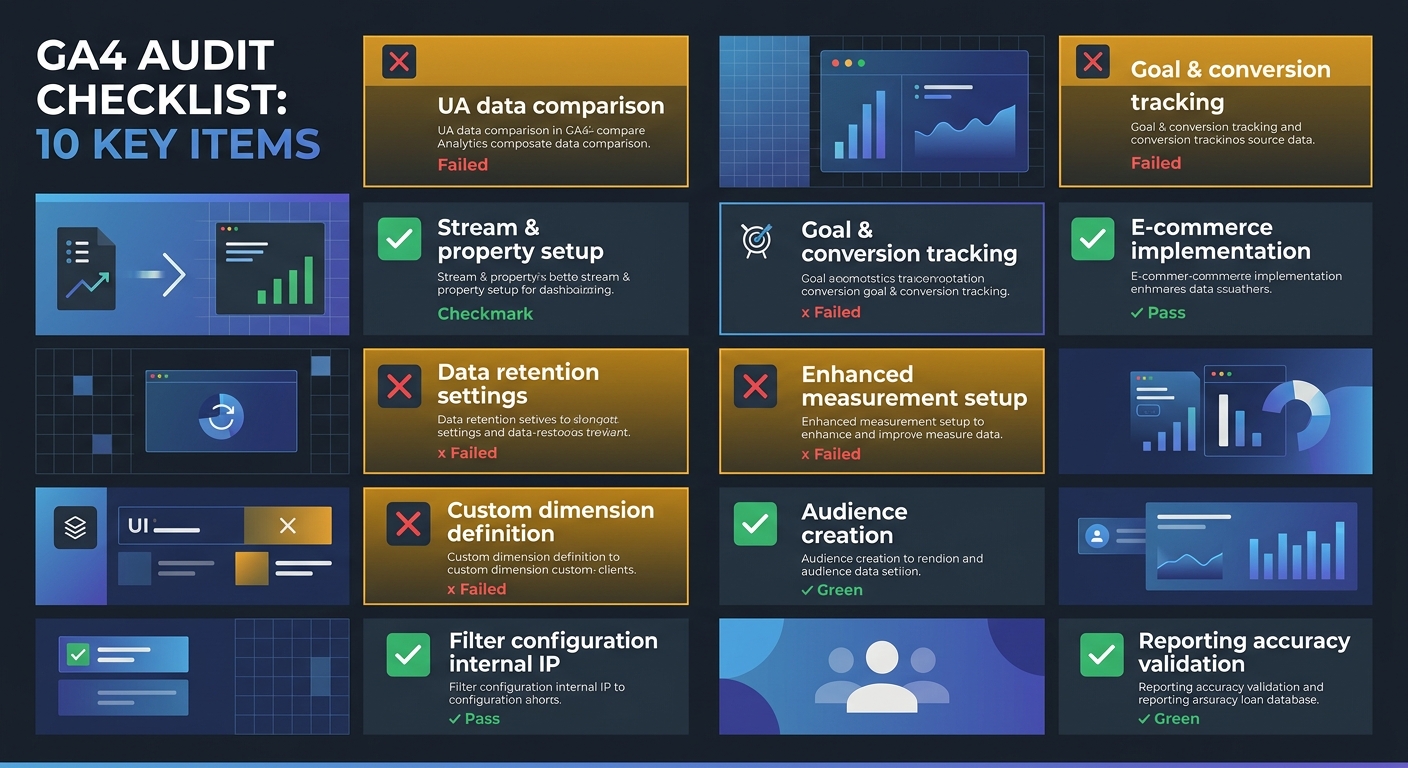
I run a 10-point audit every quarter. Site updates, consent banner changes, and GTM container modifications can silently break tracking at any time, so one-time validation isn't enough.
Here's the checklist:
GA4 tag firing confirmed on all page types, including single-page app transitions and authenticated areas
Event parameter completeness verified, with null values flagged above the 5% threshold
Cross-domain session continuity tested end-to-end
Consent Mode impact quantified by comparing GA4 totals to server logs
Ad blocker traffic loss estimated via CDN analytics or server-side logs
Data sampling checked in exploration reports you actively use for decisions
Referral exclusions configured for payment gateways and authentication flows
Internal traffic filters validated against current office and VPN IP ranges
Conversion event deduplication confirmed across all conversion actions
Processing delays accounted for in any report pulled within 48 hours of the period end
As Improvado's guide to data discrepancies illustrates, a company seeing 50,000 visits in analytics but only 40,000 in server logs could be dealing with bot traffic or tracking script failures. The only way to know is to compare sources systematically.
When GA4 Isn't Enough: Building a Hybrid Measurement Stack
GA4 alone can't give you truth. I say this as someone who spent years assuming it was directionally correct enough. Businesses can reduce discrepancies by maintaining consistent tracking setups and regularly auditing their analytics implementation, but some gaps are architectural.
Server-side tagging through GTM is the single highest-impact upgrade you can make. It moves data collection from the user's browser to your server, bypassing ad blockers and reducing client-side failures. It's not trivial to set up, but the improvement in data accuracy is measurable within the first week.
Beyond that, supplement GA4 with at least one independent data source as a check. Your CRM, your payment processor, your CDN analytics. Pick whichever source of truth matters most for your business and compare it against GA4 monthly. When the numbers diverge, you'll know something broke. When they're within 5% of each other, you've earned confidence.
And when those numbers inform your conversion rate optimization work, accuracy isn't academic. It's the difference between improving what actually works and doubling down on what your broken data says works.
The Practical Takeaway
Stop trusting GA4 by default. Run the 10-point audit this week. Set up DebugView properly with GTM Preview Mode running alongside it. Inventory your event names against the 500 limit. Compare one month of GA4 data against your most reliable backend source and quantify the gap. Once you know how far off your data is, and in which direction, you can make informed decisions about whether server-side tagging, BigQuery integration, or a simpler configuration fix closes the gap. The worst analytics mistake isn't having imperfect data. It's not knowing how imperfect it is.

Sarah Chen
SEO strategist and web analytics expert with over 10 years of experience helping businesses improve their organic search visibility. Sarah covers keyword tracking, site audits, and data-driven growth strategies.
Frequently Asked Questions
- Why is my GA4 data different from my CRM data?
- GA4 typically has 10-30% data gaps caused by ad blockers, consent configurations, client-side tracking failures, duplicate events, data sampling, and cross-domain fragmentation. These issues operate simultaneously, creating significant discrepancies between GA4 and backend systems like your CRM.
- How much budget am I losing to inaccurate GA4 data?
- Companies relying solely on GA4 for attribution misallocate an average of 18% of their digital marketing budget due to systematic inaccuracies. For a $500,000 annual budget, that's approximately $90,000 in wasted spending.
- How do ad blockers affect GA4 tracking?
- Ad blockers suppress GA4 tracking on 15-30% of web traffic depending on audience demographics, and this suppression is uneven across channels. One case study showed a 25% undercount in paid social compared to just 5% in organic search, which can make underperforming channels appear to outperform better-performing ones.
- What are GA4 quota limits and what happens when you exceed them?
- GA4 caps you at 500 unique event names and 25 custom parameters per event. When you exceed these limits, excess events are silently dropped with no error message or alert, causing your reports to show unexplained gaps that look like traffic drops.
- How do I properly set up GA4 DebugView for event validation?
- Verify your IP address isn't blocked by GA4 filters and that your Measurement ID matches the property in GA4 Admin. Disable all browser extensions including ad blockers and VPNs, then use DebugView alongside GTM Preview Mode to see what fires and what GA4 actually receives.
- What should I check in a quarterly GA4 audit?
- Run a 10-point audit covering GA4 tag firing on all page types, event parameter completeness, cross-domain session continuity, consent mode impact, ad blocker traffic loss, data sampling status, referral exclusions, internal traffic filters, conversion deduplication, and processing delays.
- What is server-side tagging and why is it important for GA4?
- Server-side tagging through Google Tag Manager moves data collection from the user's browser to your server, bypassing ad blockers and reducing client-side failures. It's the highest-impact upgrade you can make to improve data accuracy.
Explore more topics