
SEO Planning Tools vs. Manual Spreadsheets: Building an Audit System That Actually Scales
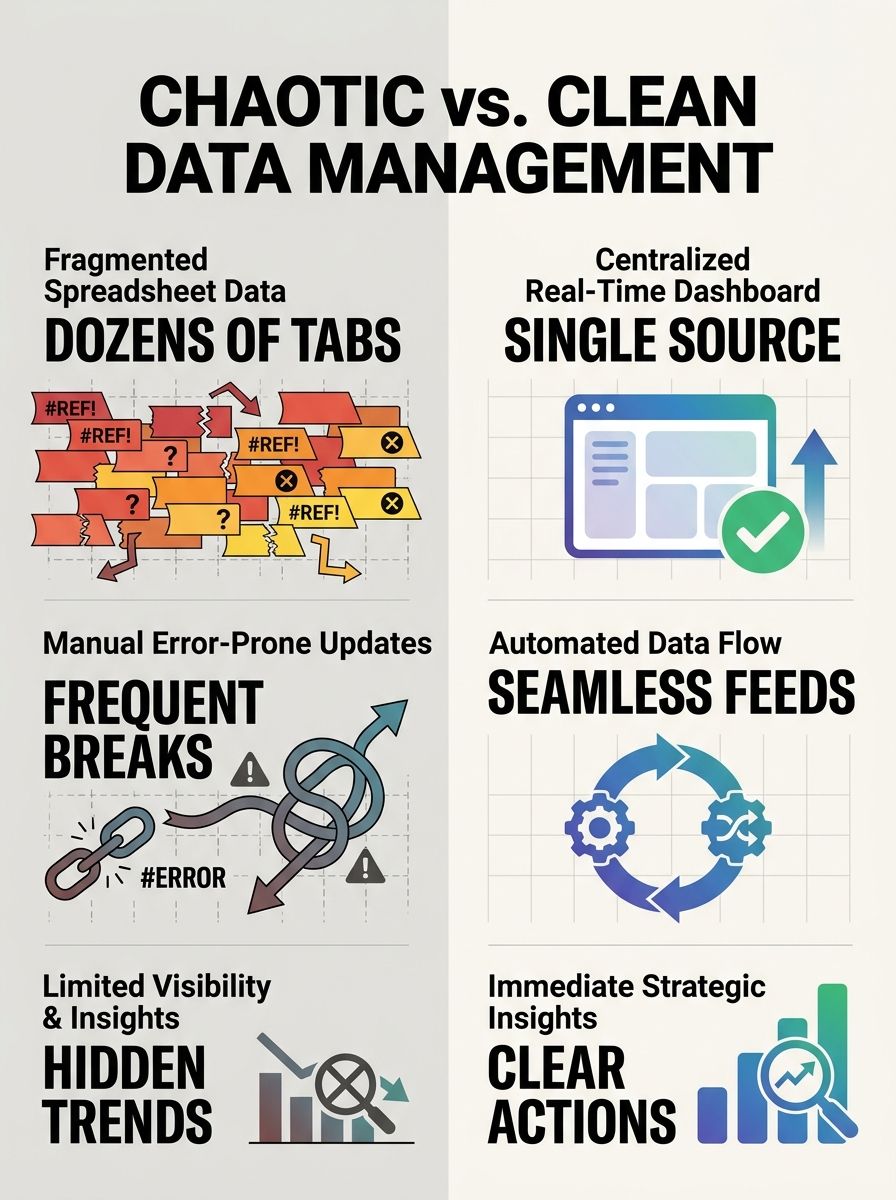
I've watched three different marketing teams proudly show me their "SEO audit system" only to reveal a 47-tab Google Sheet with conditional formatting so complex it crashed the browser.
SEO Planning Tools vs. Manual Spreadsheets: Building an Audit System That Actually Scales
I've watched three different marketing teams proudly show me their "SEO audit system" only to reveal a 47-tab Google Sheet with conditional formatting so complex it crashed the browser. Every single time, the same story: it worked great when one person managed 50 pages, and it completely fell apart somewhere around 500. The truth that most SEO managers won't admit is that spreadsheets aren't an audit system. They're a coping mechanism.
And I say that as someone who built my entire first audit workflow in Google Sheets. It ran beautifully for about four months before the content team doubled in size and the whole thing collapsed under its own weight. That experience taught me something critical about scalable SEO operations: the gap between "tracking SEO tasks" and "operating an audit system" is the difference between a to-do list and a production line.
So let's talk about what it actually takes to build an audit system that grows with your business, when spreadsheets still make sense, and where dedicated SEO planning tools earn their keep.
The Spreadsheet Ceiling Is Lower Than You Think
Every SEO team starts with spreadsheets. That's fine. Google Sheets and Excel are flexible, free (or close to it), and everyone knows how to use them. For a solo practitioner managing a single site with under 200 pages, a well-structured spreadsheet handles keyword tracking, on-page audit checklists, and basic content calendars without much friction.
The problem is that spreadsheets degrade gracefully. They don't break all at once. Instead, small failures accumulate:
Someone overwrites a formula in row 312 and nobody notices for two weeks
The backlink tracking tab hasn't been updated since February because the person responsible left the company
Three team members maintain separate "working copies" with conflicting data
Audit findings sit in cells with no clear owner, due date, or status
By the time you realize the system is broken, you've already lost months of visibility into your SEO pipeline. I've seen this pattern at agencies running 10+ client accounts and in-house teams managing enterprise sites with thousands of URLs. The ceiling hits faster than anyone expects.
What makes this particularly dangerous is the false sense of control. Your spreadsheet looks like a system. It has columns, filters, and color-coded priorities. But it lacks the three things that separate a tracking document from an operational system: automation, accountability, and real-time visibility.
What a Scalable SEO Audit System Actually Requires
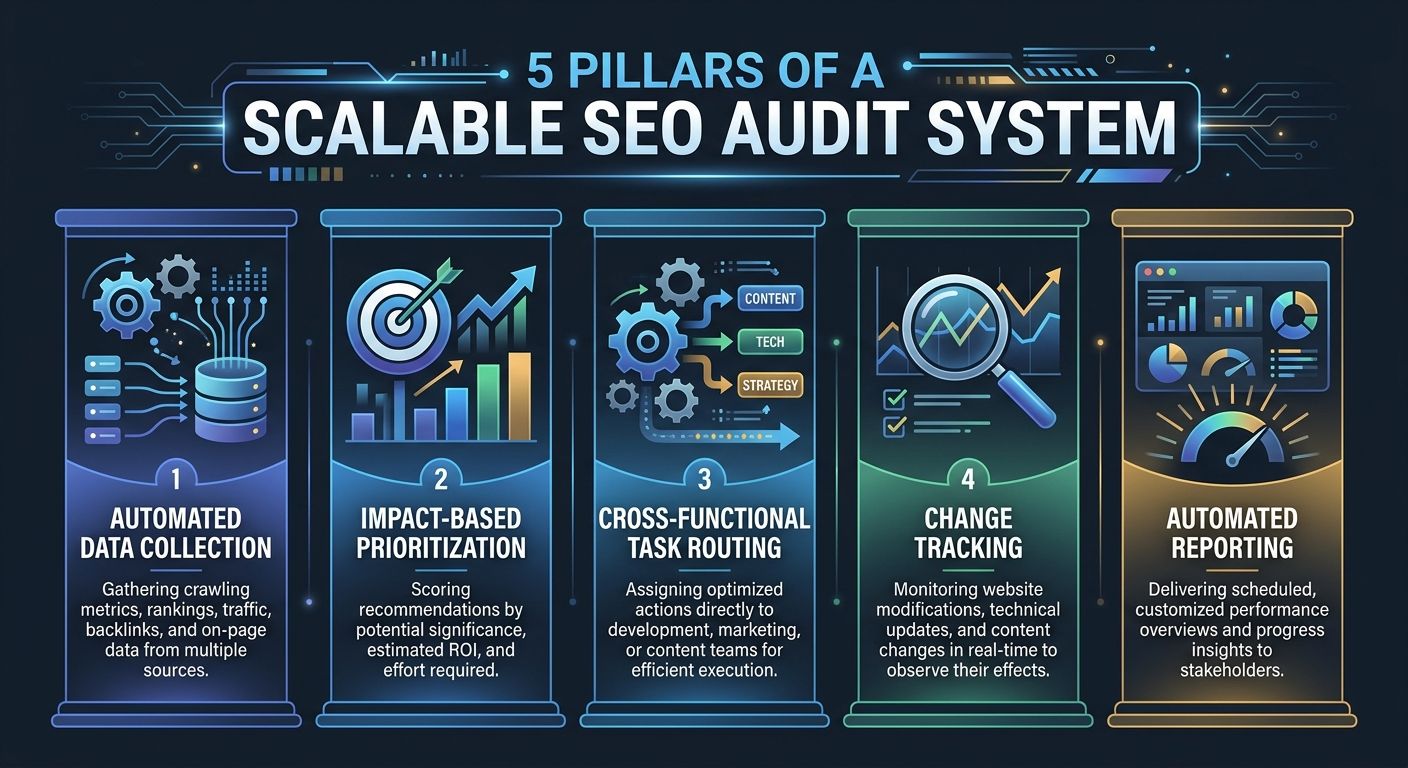
Before comparing specific tools, it helps to define what "scalable" means in the context of SEO project management. Based on managing audits across enterprise accounts, I've found that any system worth building needs five core capabilities:
1. Automated Data Collection
Manual data entry is where audit accuracy goes to die. Your system needs to pull directly from Google Search Console, GA4, and your crawl tools without someone copy-pasting numbers every Monday morning. Automated tools can complete site crawls in 20-45 minutes. Compare that to the 8-12 hours a manual audit typically requires, and the math becomes obvious.
2. Impact-Based Prioritization
A raw list of 2,000 technical issues is not an audit. It's noise. The system needs to score findings by potential impact on rankings and revenue, effort required to fix, and risk of regression if left unaddressed. This is where most spreadsheet-based systems fail hardest, because prioritization requires context that static cells can't provide.
3. Cross-Functional Task Routing
SEO audits generate work for content writers, developers, UX designers, and product managers. Your system needs to route tasks to the right team with clear ownership. As monday.com's research on SEO project management highlights, unified platforms that improve communication between writers, developers, and strategists provide the cross-team SEO visibility that spreadsheets simply can't deliver.
4. Version History and Change Tracking
When your rankings drop after a site update, you need to trace exactly what changed and when. Spreadsheet version history exists, but it's clunky. A proper audit system logs every change with timestamps and attribution.
5. Reporting That Doesn't Require a Separate Project
If building your monthly SEO report takes longer than analyzing the data, your system has failed. One agency I came across saved over 40 hours monthly after implementing automated reporting. That's a full work week redirected from spreadsheet wrangling to actual strategy.
The Real SEO Planning Tools Comparison
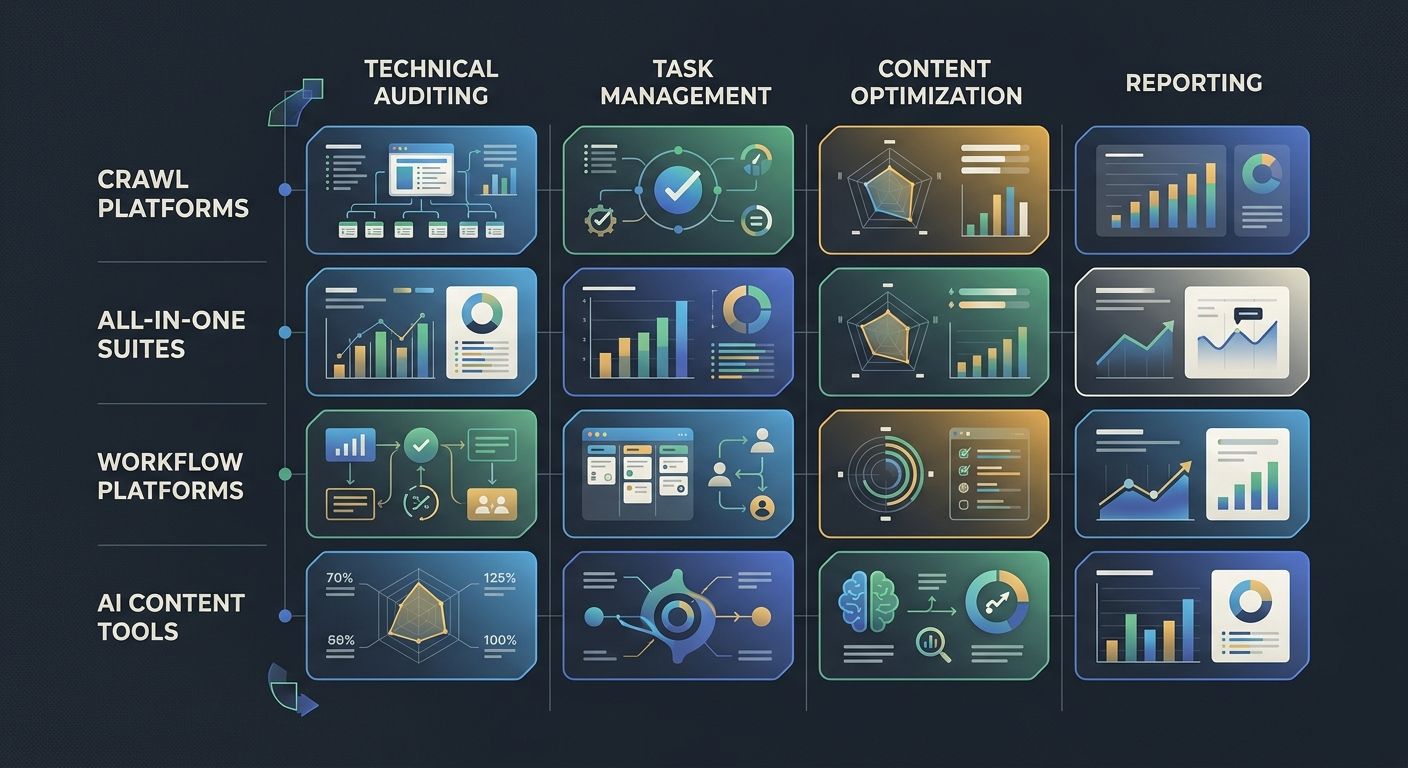
Not all tools solve the same problem. The biggest mistake I see teams make is evaluating platforms based on feature lists instead of workflow fit. Here's how the major categories break down for audit operations:
Crawl-First Platforms (Screaming Frog, Lumar, Sitebulb)
These are your technical audit workhorses. They excel at finding broken links, crawl errors, duplicate content, and structured data issues. Lumar (formerly DeepCrawl) integrates with CI/CD pipelines, which makes it behave more like an engineering tool than a marketing one. If your biggest bottleneck is identifying technical issues, start here.
But crawl tools don't manage workflows. They find problems. Turning those findings into assigned, tracked, completed work requires a separate layer.
All-in-One SEO Suites (Ahrefs, SEMrush, Moz Pro)
These platforms combine keyword research, rank tracking, site audits, and competitive analysis. For mid-sized teams, they often serve as the primary SEO planning tools comparison baseline because they cover so much ground. Popular enterprise options include Ahrefs, SEMrush, BrightEdge, and Conductor, each with different strengths in automation and content optimization.
The trade-off is depth. An all-in-one suite's audit module rarely matches the granularity of a dedicated crawl tool. And their project management features, while improving, still feel bolted on rather than native.
Workflow and Project Management Platforms (monday.com, Asana, ClickUp)
This is where marketing workflow automation lives. These tools don't know anything about SEO out of the box, but they excel at the operational layer that specialist SEO tools miss: task assignment, approval workflows, deadline tracking, and stakeholder reporting.
The key insight I keep coming back to is this: the best audit systems aren't single tools. They're integrations between a crawl/analysis tool and a workflow platform, connected by automation.
AI-Augmented Content Platforms (Surfer, AirOps, Clearscope)
These tools focus on the content optimization side of audits. They're less about finding technical issues and more about identifying content gaps, optimizing existing pages, and scaling production. AirOps, for example, has built custom AI workflows for keyword research, content generation, and SERP analysis that work well for agencies handling bulk production.
If your audit process frequently surfaces content-level opportunities, pairing one of these with your technical stack makes sense. If you're already thinking about building a unified tool stack without subscription bloat, this is where careful vendor selection matters most.
Building the System: A Practical Framework
Here's the framework I use when helping teams move from spreadsheets to a proper audit system. It's not about ripping everything out on day one. It's about layering capability over 90 days.
Phase 1: Audit Your Audit (Week 1-2)
Before buying anything, document your current process:
List every person who touches SEO work and their role
Map the flow of an audit finding from discovery to implementation
Identify where information gets stuck, duplicated, or lost
Measure how long each step takes
Most teams discover that 60-70% of their "audit time" is actually data gathering and reporting, not analysis or execution. That's your automation target.
This step pairs well with the approach I outlined for reverse-engineering your content strategy from random publishing. The same diagnostic mindset applies.
Phase 2: Automate Data Collection (Week 3-4)
Connect your data sources to a central platform. The specific tools matter less than the integration:
Google Search Console → your analysis platform
GA4 → your reporting dashboard
Crawl tool → your issue tracker
Rank tracker → your performance monitoring
SE Ranking's Zapier integration, for example, lets you push audit results into your BI tool and automatically create tasks in your project management platform for urgent fixes. That single automation eliminates the most error-prone step in most spreadsheet workflows.
If your analytics data itself seems unreliable, you'll want to debug your GA4 implementation first before building dashboards on top of it.
Phase 3: Build Workflow Templates (Week 5-8)
Create repeatable templates for your three most common audit types:
Technical crawl audit → issues scored by severity, routed to dev team with fix deadlines
Content gap audit → opportunities prioritized by search volume and intent match, assigned to writers
Backlink health audit → toxic link review, disavow decisions, outreach tasks
Each template should define who owns what, what the approval gates are, and how completion gets tracked. This is where you establish the governance framework that keeps your audit process consistent even as the team changes.
Phase 4: Connect Reporting to Business Outcomes (Week 9-12)
The final layer ties audit activity to metrics that stakeholders care about. Not "we fixed 47 canonical tags" but "fixing indexation issues on our product category pages increased organic sessions by 12% month-over-month."
This is where the case for dedicated tools becomes undeniable. Enterprise workflow platforms have demonstrated remarkable efficiency gains. VML reported 7,000 hours saved per account monthly, and FARFETCH achieved a 6x ROI with $118K saved monthly through workflow automation. You won't hit those numbers with a spreadsheet.
When Spreadsheets Still Win
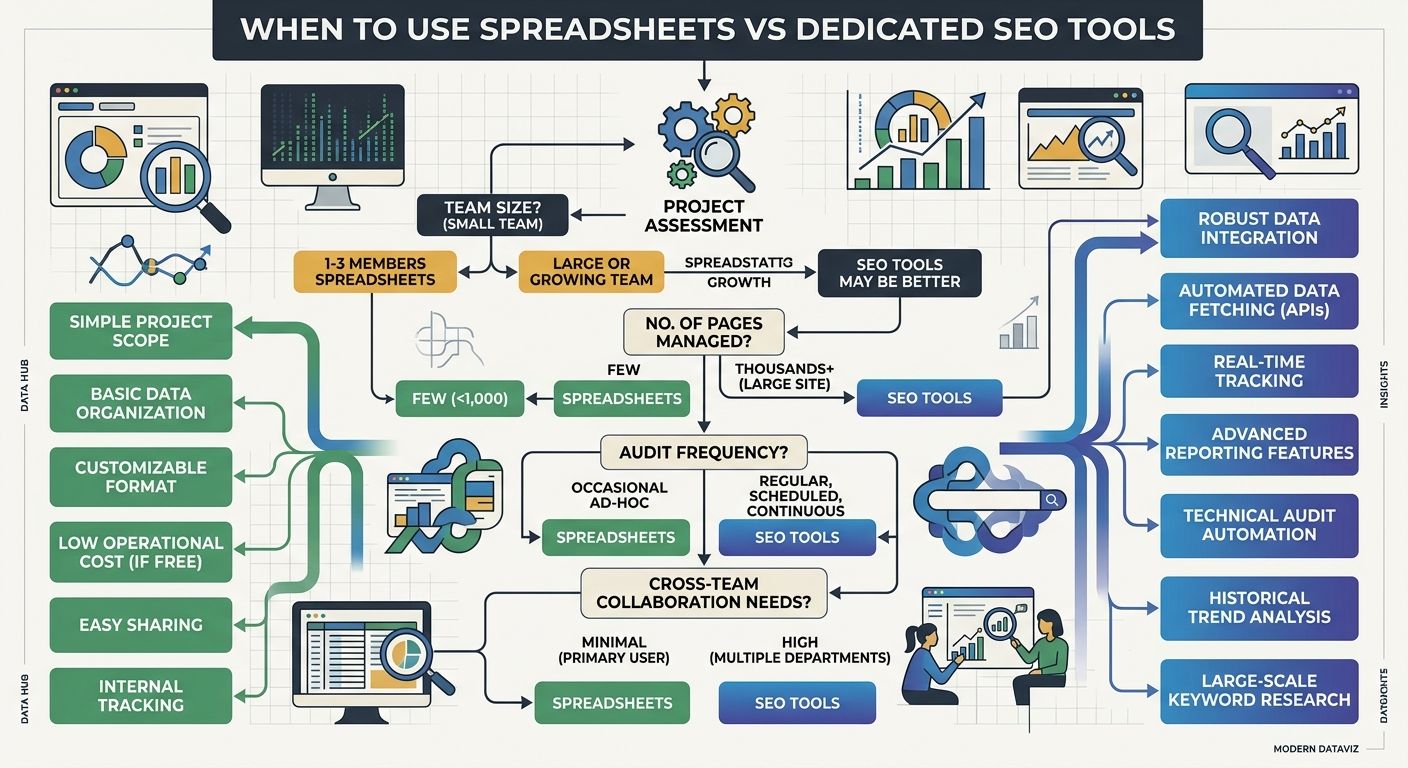
I'm not saying throw away every spreadsheet. There are specific scenarios where they remain the right tool:
One-off competitive analysis where you need maximum flexibility to slice data in unusual ways
Strategy brainstorming where rigid structures inhibit creative thinking
Quick ad-hoc calculations that don't need to persist in a system
Budget modeling where financial formulas are the primary logic
The key distinction is between spreadsheets as thinking tools versus spreadsheets as operational systems. Use them for the first. Build something better for the second.
And if you're running a team where technical SEO passes but rankings still drop, the problem is almost certainly in the operational layer between "finding issues" and "fixing them." That's exactly the gap a proper audit system closes.
What to Do Monday Morning
If you've read this far and recognized your team in the spreadsheet horror stories, here's your action plan:
This week: Map your current audit workflow end-to-end. Time each step. You'll find the automation opportunities immediately.
Next two weeks: Pick one integration to automate. The highest-impact starting point for most teams is connecting Google Search Console to a crawl tool with automated weekly reports.
Within 30 days: Move your active audit tracking from spreadsheets to a project management platform with assigned owners and due dates. Keep the spreadsheet as a read-only archive.
Within 90 days: Build your first automated reporting template that connects audit actions to organic traffic and revenue impact.
The shift from spreadsheets to scalable SEO operations isn't about buying expensive software. It's about designing a system where audit findings don't sit in cells waiting for someone to notice them. Every week a critical fix lives in an unread spreadsheet row is a week of lost traffic you can't get back.
Start small. Automate the boring parts first. And stop pretending that color-coded tabs are a substitute for actual workflow management.

Alex Chen
Alex Chen is a digital marketing strategist with over 8 years of experience helping enterprise brands and agencies scale their online presence through data-driven campaigns. He has led marketing teams at two successful SaaS startups and specializes in conversion optimization and multi-channel attribution modeling. Alex combines technical expertise with strategic thinking to deliver actionable insights for marketing professionals looking to improve their ROI.
Explore more topics