
The SEO Triage Protocol: Prioritizing Technical Fixes When Everything Is Broken
Fixing technical SEO issues in the order your audit tool ranks them guarantees the slowest possible recovery. Automated severity scores ignore your traffic patterns, your social promotion calendar, and which pages generate revenue.
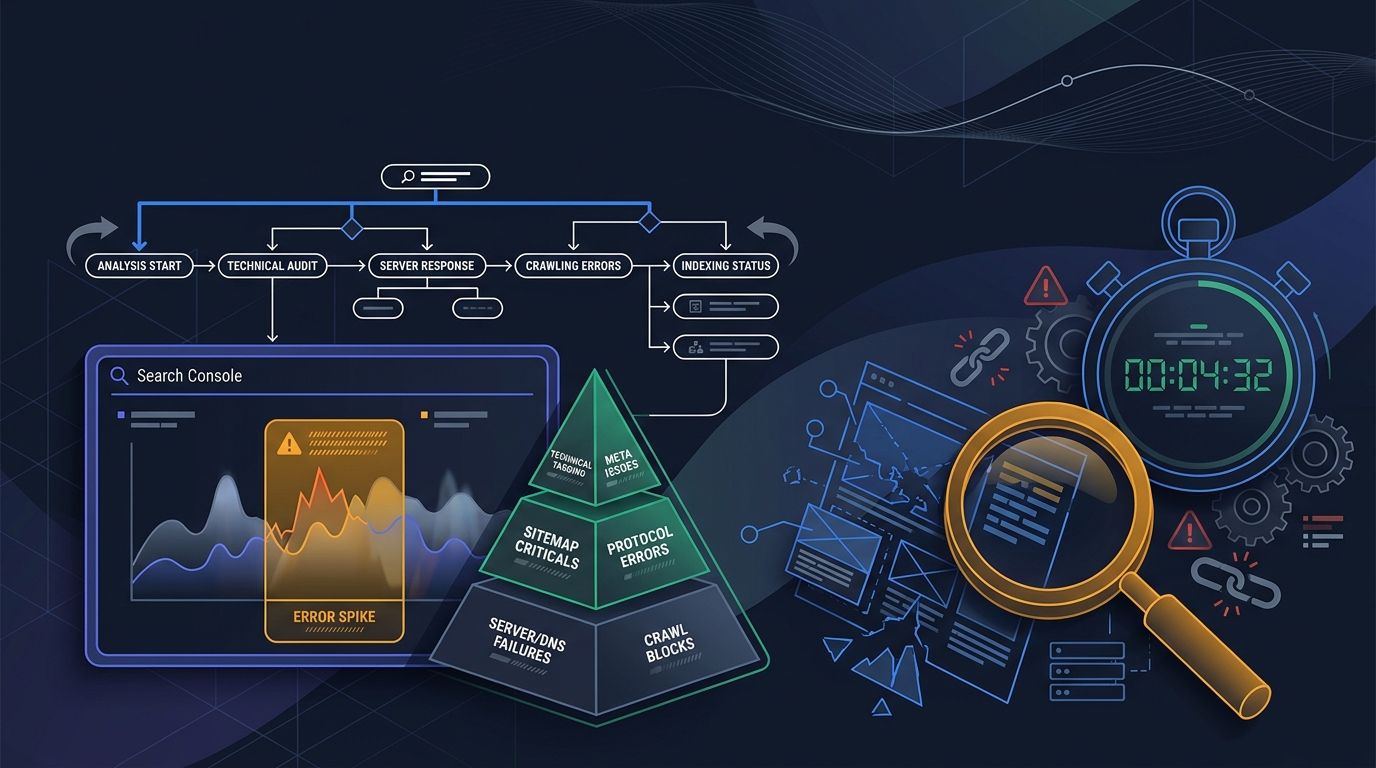
The SEO Triage Protocol: Prioritizing Technical Fixes When Everything Is Broken
Fixing technical SEO issues in the order your audit tool ranks them guarantees the slowest possible recovery. Automated severity scores ignore your traffic patterns, your social promotion calendar, and which pages generate revenue. A better system exists: triage by business impact first, effort second, tool labels last.
Typical enterprise audits surface between 50 and 200 issues. Aira's 2026 State of Technical SEO Report found that 67% of in-house SEO teams name developer bandwidth as their top barrier to fixing technical problems. Combine limited dev time with a 200-line spreadsheet sorted by a tool's own internal logic, and the default response is paralysis. Teams either fix things at random or start at row one.
Both approaches bleed time. And when your social media team is actively promoting pages that return 5xx errors or load in 6+ seconds, every day of delay burns audience trust alongside crawl budget.
Why Audit Severity Labels Mislead Social and SEO Teams
Audit tools assign severity based on how far a metric deviates from an ideal benchmark. A missing meta description gets flagged as "warning." A redirect chain gets flagged as "error." Neither label accounts for traffic volume, conversion value, or whether your social team shared that URL to 50,000 followers yesterday.
According to DeltaV Digital's technical audit guide, "The Impact-Effort Prioritization Framework turns a list of technical findings into a sequenced action plan that development teams can execute and leadership can understand." The critical word here is "sequenced." Each issue gets scored on two axes: how much traffic the fix will recover, and how many developer hours it requires.
This is where the social media angle changes the math. A page with 5,000 monthly social referrals and a broken canonical tag hurts your visibility more than a page with 12 monthly visits and a 5xx error. The second issue looks worse in an audit report. The first issue costs more money every single day.
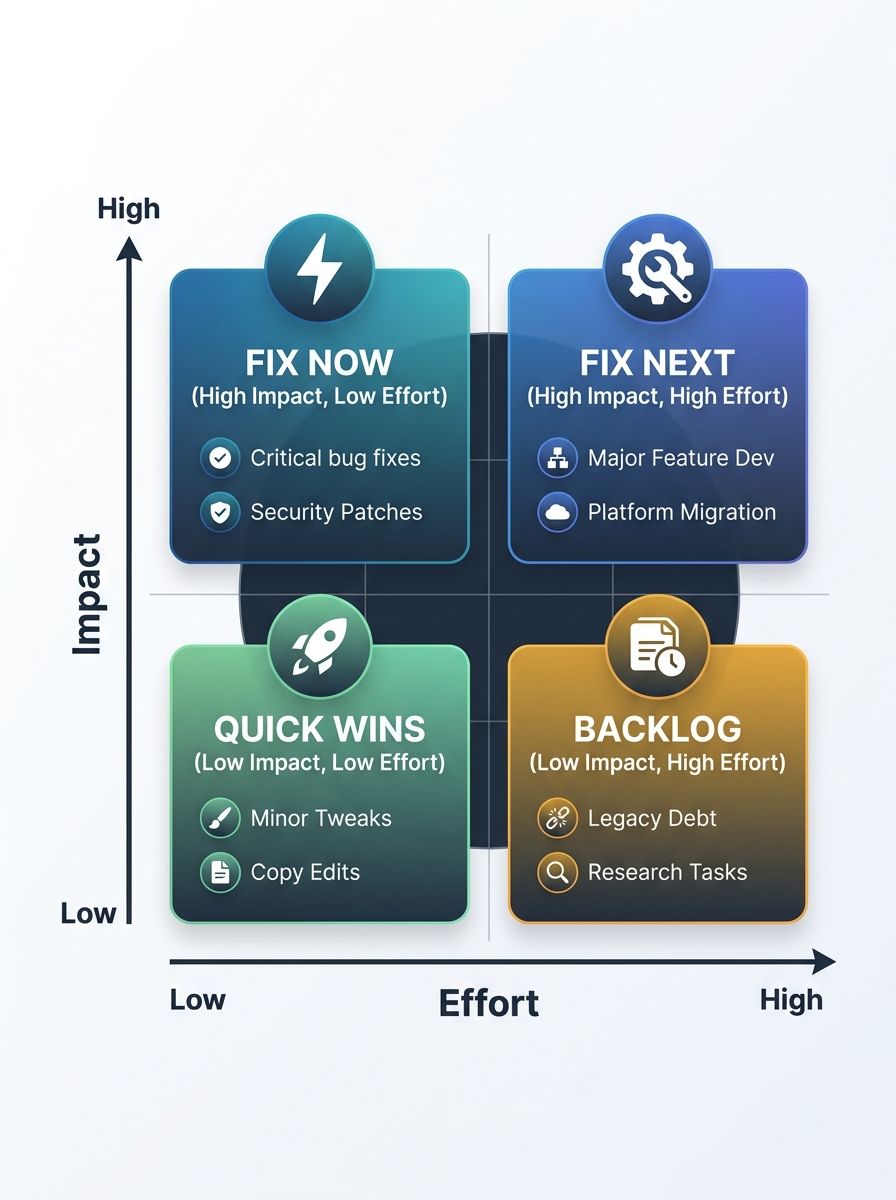
Research from a 2026 guide on interpreting SEO audit reports confirms that issues like text-to-HTML ratios and multiple H1 tags don't impact rankings at all. Yet many tools flag these as medium-severity problems. I've watched teams spend 3-5 developer hours restructuring H1 tags across templates while noindex tags silently blocked their most-shared social landing pages from Google's index.
The Debugging Pyramid Prevents the Costliest Mistakes
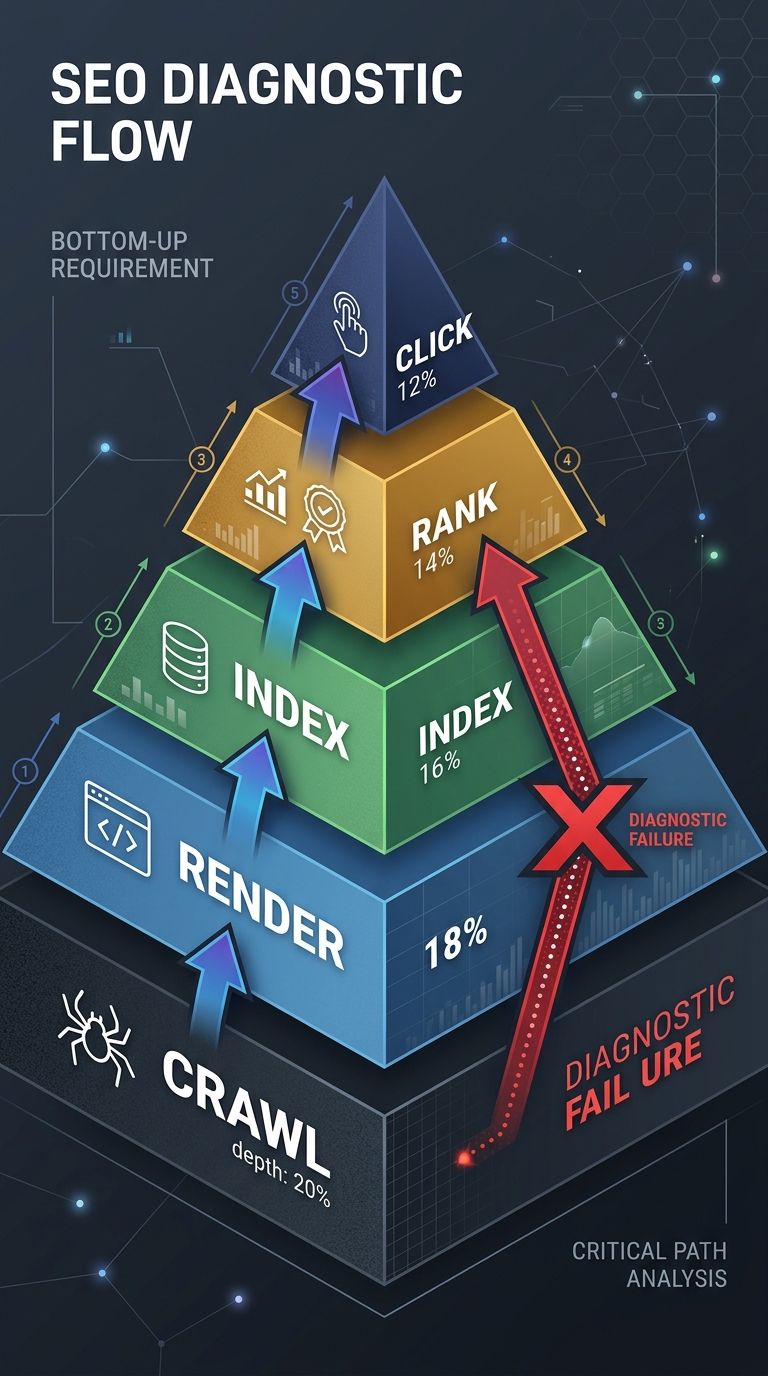
Search Engine Land's SEO debugging guide establishes a diagnostic model called the debugging pyramid. The layers, in order: Crawl, Render, Index, Rank, Click. The rule is blunt: "Start with the debugging pyramid. Work your way through each level. Don't skip layers assuming you know what 'the real problem' is."
Industry surveys show 57% of marketing professionals view technical optimization as their most effective SEO tactic. Yet the majority of those professionals jump straight to ranking signals (content, backlinks, keywords) without confirming that Google can even crawl and render the page.
The pattern I see across client engagements repeats with eerie consistency. A social media team promotes a new landing page. The page gets hundreds of shares and thousands of clicks within 48 hours. But the page sits behind a JavaScript rendering bottleneck, or the robots.txt file blocks the subdirectory, or a staging noindex tag was never removed. Social traffic arrives and converts. Google's crawler arrives and leaves empty-handed.
The search console troubleshooting process starts in the Pages report under Indexing. As described in Google's Page indexing report documentation, the report groups URLs by indexing status. Sort errors by quantity. Cross-reference against your XML sitemap to identify high-value pages Google excluded.
For sites struggling with crawl budget waste, the recommended fix involves consolidating multiple redirects into single 301 redirects pointing directly to the final destination. Across the web, 7.73% of websites have external JavaScript and CSS files returning redirect or error codes. Each broken file multiplies wasted crawl requests across every page that references it.
If your organization has been rebuilding strategy around first-party data, your analytics should already show which pages receive the most social referral traffic. Use that data to weight the debugging pyramid. A page with zero social or organic traffic and a crawl error belongs in the backlog. A page receiving 2,000 weekly social clicks and returning a soft 404 belongs at the top of the sprint.
The Three-Bucket Triage Model for Cross-Functional Teams
Social media managers, SEO specialists, and developers rarely share the same mental model of what "broken" means. The social team defines broken as "the link I shared returns an error page." The SEO team defines broken as "the page isn't indexed." The developer defines broken as "the server returns a non-200 status code." All three describe different symptoms of potentially the same root cause.
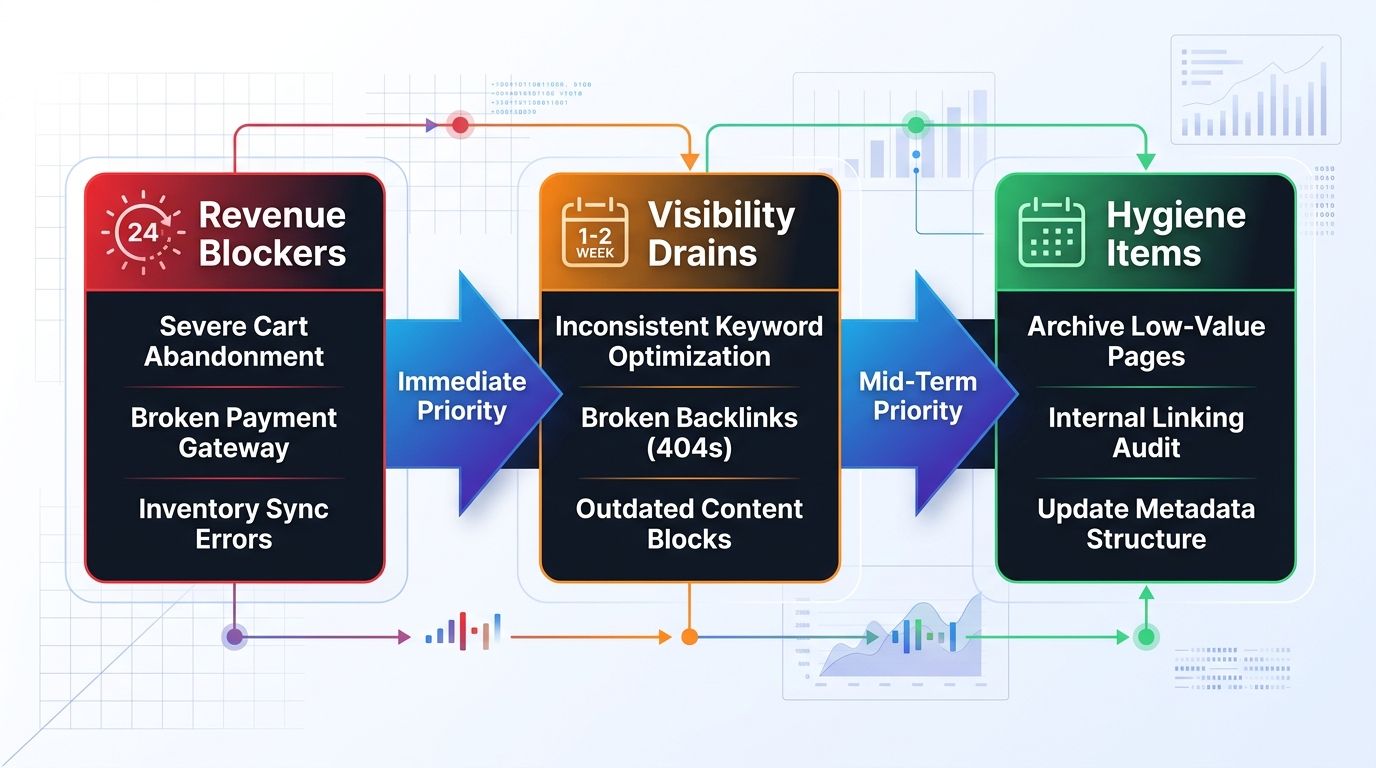
A practical SEO debugging workflow needs shared language. I use what I call the Three-Bucket Triage Model to bridge these perspectives:
Bucket 1: Revenue Blockers (fix within 24 hours). Pages that generate direct revenue or capture leads AND have a technical issue preventing indexing or proper rendering. Accidental noindex tags on production pages, widespread 5xx server errors on checkout flows, and broken canonical tags on your top 20 landing pages qualify. If more than a third of crawl requests hit non-indexable URLs, the crawl budget itself needs emergency intervention. Sites dealing with architecture-level crawl waste often discover that 40% of Google's crawling resources go to pages that shouldn't be crawled at all.
Bucket 2: Visibility Drains (fix within 1-2 weeks). These issues don't block revenue directly but erode organic performance week over week. Core Web Vitals failures fall here. Google tightened the LCP threshold to 2.0 seconds, and only 33% of mobile sites pass. Redirect chains, mobile usability errors on high-traffic templates, and duplicate content from parameter URLs all belong in this bucket. Social media posts linking to pages with 4+ second load times see measurably higher bounce rates, which compounds the organic signal problem.
Bucket 3: Hygiene Items (batch into monthly sprints). Missing meta descriptions, minor redirect chains on low-traffic pages, image alt text gaps, and structured data warnings. These matter over time. They don't matter this week.
The Google March 2026 core update shifted 79.5% of top-three search results. Sites with unresolved Bucket 1 and Bucket 2 issues during that update window likely saw disproportionate ranking losses. Crawl error prioritization during core update periods is especially urgent because Google re-evaluates page quality signals in bulk.
How Social Promotion Surfaces Hidden Technical Debt
Social media teams function as accidental QA departments. Every time someone shares a URL, real users test that page's rendering, load speed, redirect behavior, and mobile responsiveness in the wild. When a social post drives 10,000 clicks to a page with a JavaScript rendering issue, you've run a large-scale, unplanned user test. The data shows up in GA4 as high bounce rates and low time-on-page. It shows up in Search Console as rendering or indexing errors.
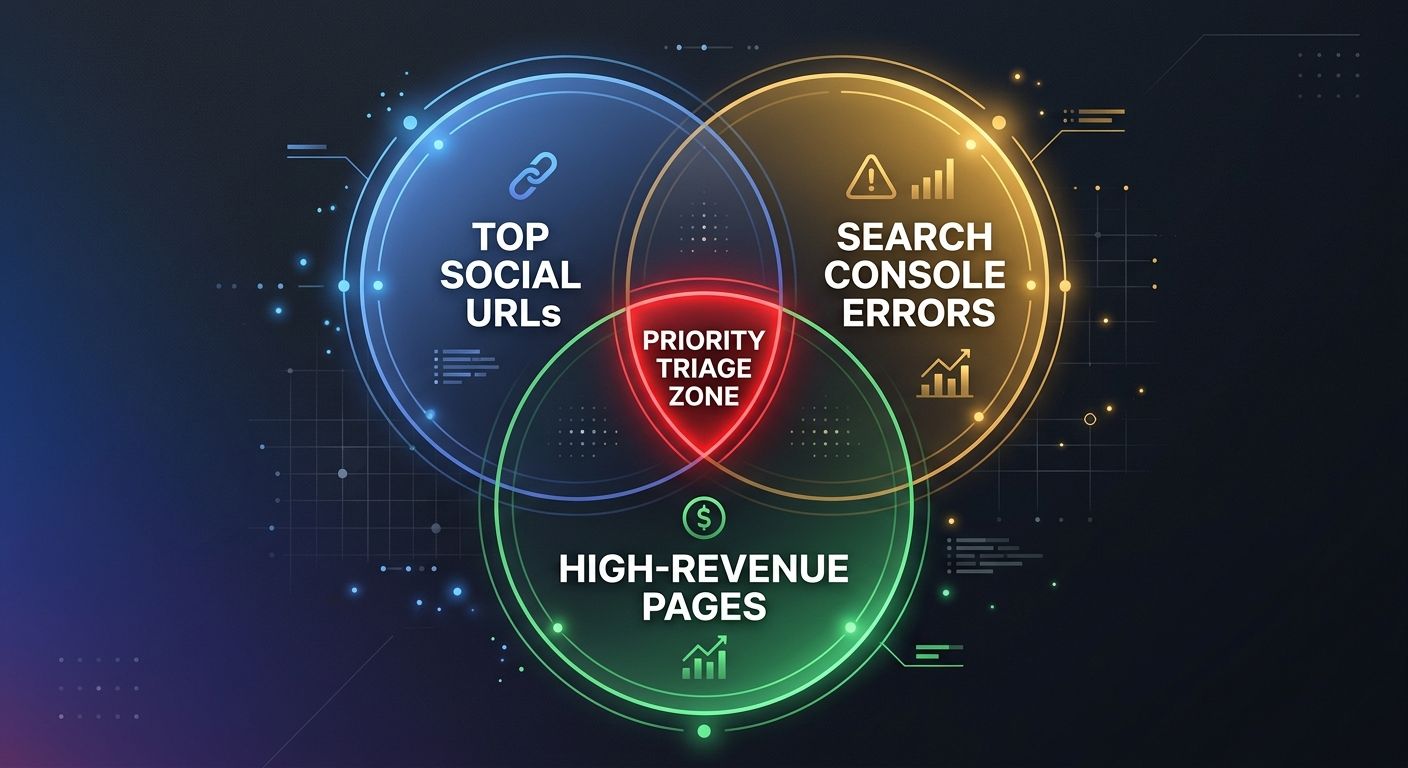
The indexing issues diagnosis process should include social referral data as a core input. Pull your top 50 socially-shared URLs from GA4. Cross-reference them against the Search Console Pages report. Any URL appearing in both your "most shared" list and Search Console's "Excluded" or "Error" categories is a Bucket 1 priority, regardless of what the audit tool says about severity.
This approach aligns with building repeatable SEO workflows that draw from multiple data sources. A technical SEO triage that evaluates performance across four pillars (technical health, content quality, mobile experience, and UX signals) accounts for cross-functional impact rather than treating crawler behavior in isolation.
For sites recovering from major redesigns, the stakes multiply. Post-migration traffic recovery depends on catching broken redirects before social promotion sends traffic to dead URLs. A single widely-shared social post pointing to an old URL that 404s instead of 301-redirecting can generate thousands of lost visits in a few hours. Search Engine Journal's triage framework identifies this exact scenario as a "race against the clock to find the issues that will produce the most significant results as quickly as possible."
The Claim, Revisited
The standard technical SEO triage approach fails because it treats all errors as equal and all pages as interchangeable. Pages aren't interchangeable. A URL that your social team promotes to 50,000 followers, that your sales team includes in outreach emails, and that ranks for a 5,000-monthly-search-volume keyword carries 100x the weight of an orphaned blog post with a missing meta description.
The Three-Bucket Triage Model works because it forces one question before anyone touches an audit finding: "What is this page worth to the business right now?" With 67% of SEO teams already constrained by limited developer bandwidth, spending that bandwidth on low-impact fixes is the most expensive habit in technical SEO. Sort by business impact. Validate with the debugging pyramid. Communicate in revenue terms. The audit report is raw material for the triage conversation, and treating it as a ready-made to-do list is how recoveries stall for months.

Sarah Chen
SEO strategist and web analytics expert with over 10 years of experience helping businesses improve their organic search visibility. Sarah covers keyword tracking, site audits, and data-driven growth strategies.
Related Articles

The SEO Mistake Triage System: Diagnosing Root Causes Instead of Treating Symptoms
Automated SEO audit tools flag hundreds of issues per crawl but assign equal visual severity to missing alt text and accidental noindex tags on revenue pages.

The Technical SEO Triage Framework: When Your Site Has Multiple Issues, What to Fix First
Canonical tag errors across a single page template can cascade into 8,000 indexing failures, yet standard audit tools flag each duplicate URL as a separate issue with identical severity. The fix order matters more than the fix count.

The Site Architecture Crawl Budget Audit: Reclaiming Lost SEO Performance Through Strategic Hierarchy Redesign
Social media campaign infrastructure is the single largest unaudited source of crawl waste on enterprise websites, and the teams creating the problem rarely know it exists.
Explore more topics